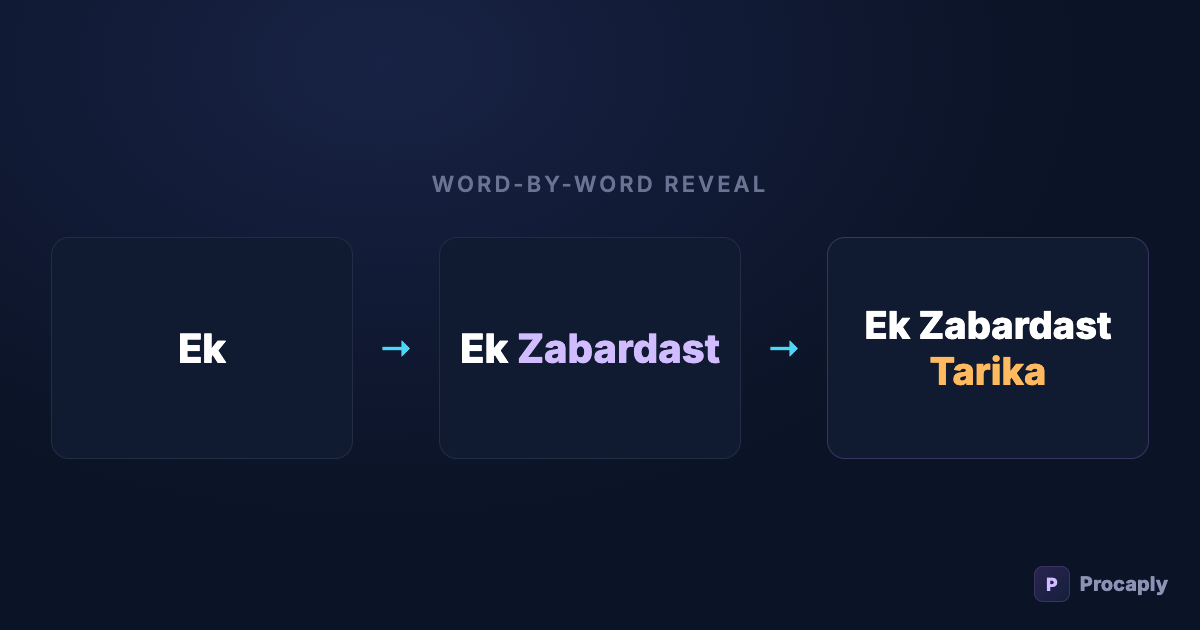
Watch any high-performing Reel from the last two years with the sound off. The captions don't sit on screen as a block — they move with the voice: words appear as they're spoken, or fill with colour, or pop and bounce one at a time. That's word-by-word captioning, and it isn't decoration.
- Word-timed captions close the gap between reading speed and speaking speed — the gap where scrolling happens.
- There are four core reveal styles; match the style to the energy of the content.
- The enabling ingredient is word-level timestamps from speech recognition — not manual keyframes.
- One style per video, keywords highlighted, 3–5 words on screen.
Why it works
- It synchronises reading with listening. A static sentence lets eyes finish 2 seconds before the voice — a gap where scrolling happens. Word-timed reveal keeps eyes locked to the current word.
- It works with sound off — which is most feed viewing. The rhythm of the reveal carries the energy of the delivery even in silence.
- It signals effort. Viewers can't articulate why, but word-synced captions read as "produced" — and produced content earns more watch-time benefit of the doubt.
The four core styles
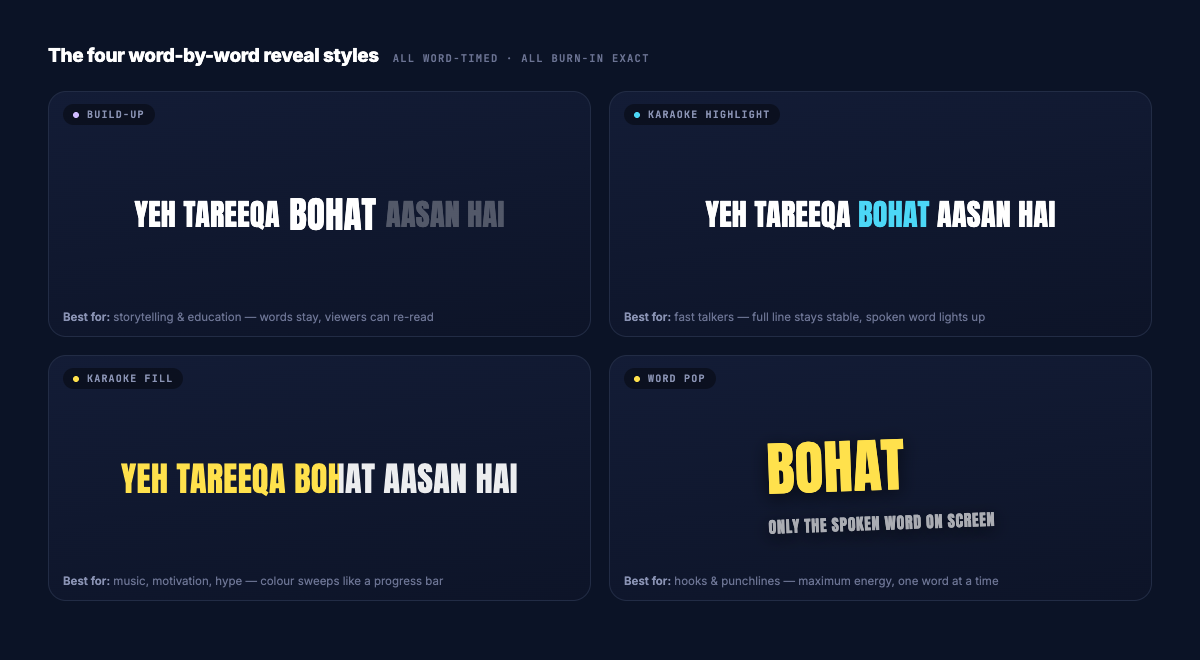
| Style | What happens | Best for |
|---|---|---|
| Build-up | Words appear one by one and stay | Storytelling, education — viewers can re-read |
| Karaoke highlight | Full line visible; the spoken word changes colour | Fast talkers — line context stays stable |
| Karaoke fill | Colour sweeps through the text like a progress bar | Music, motivational, hype content |
| Word pop | Only the current 1–4 words on screen, large | Hooks, punchlines, maximum energy |
On top of any of these: keyword highlighting — one word per line in an accent colour. It gives skimming viewers a second, faster reading layer ("trick… aasan… FREE") that carries the message alone.
Where the timing comes from
Word-by-word requires knowing when every word was spoken, to the centisecond. Animating that by hand means keyframing hundreds of text layers per minute of video — nobody sustains that past one video.
The practical route is speech recognition with word-level timestamps, which is exactly what Procaply produces: upload your clip, and every word in the transcript carries the exact moment it was spoken. All four styles above become one-click choices, previewed live before you export — and if you edit a word, split a line, or switch the caption language entirely, the timings survive.
Choosing well: three rules
- Match energy. Word pop on a calm explainer is exhausting; build-up on a hype clip is flat. The style is part of the tone.
- One style per video. Switching mid-video reads as chaos, not variety.
- Highlight nouns and numbers, not connectives — "10 lakh log", not "log kar rahe".
The mistakes that undo the effect
- Too many words per chunk. Eight-word lines defeat the purpose — the eye reads ahead of the voice again. Keep chunks to 3–5 words.
- Reveal without contrast. If the "on" and "off" states look similar, the motion disappears at feed brightness. Make the active state unmistakable.
- Fighting the platform UI. Keep the reveal zone in the middle-lower third, clear of buttons and the progress bar.
Frequently asked questions
Does word-by-word work for Urdu script?
Yes — reveals follow the spoken order (right-to-left on screen for Urdu), and karaoke highlight works beautifully in Nastaʿlīq. See the Urdu captions guide for script-specific tips.
What if the AI mistimes a word?
Word timings come from the recognition engine and are editable — nudge a caption’s timing or split/merge lines in the editor before export.
How many words should be on screen at once?
Three to five for most content. Word pop styles can drop to one or two for hooks and punchlines; going above six re-creates the static-block problem the reveal exists to solve.
Do these styles survive export, or only look right in the preview?
In Procaply the preview and the burned export are drawn by the same rules, so the reveal you previewed is exactly what ships — timing, colours and fonts included.